Publishing & assignment
Publishing makes a slide live; assignment decides what each screen plays. VitVue resolves a clear priority order so a screen always knows what to show.
Ways to assign content
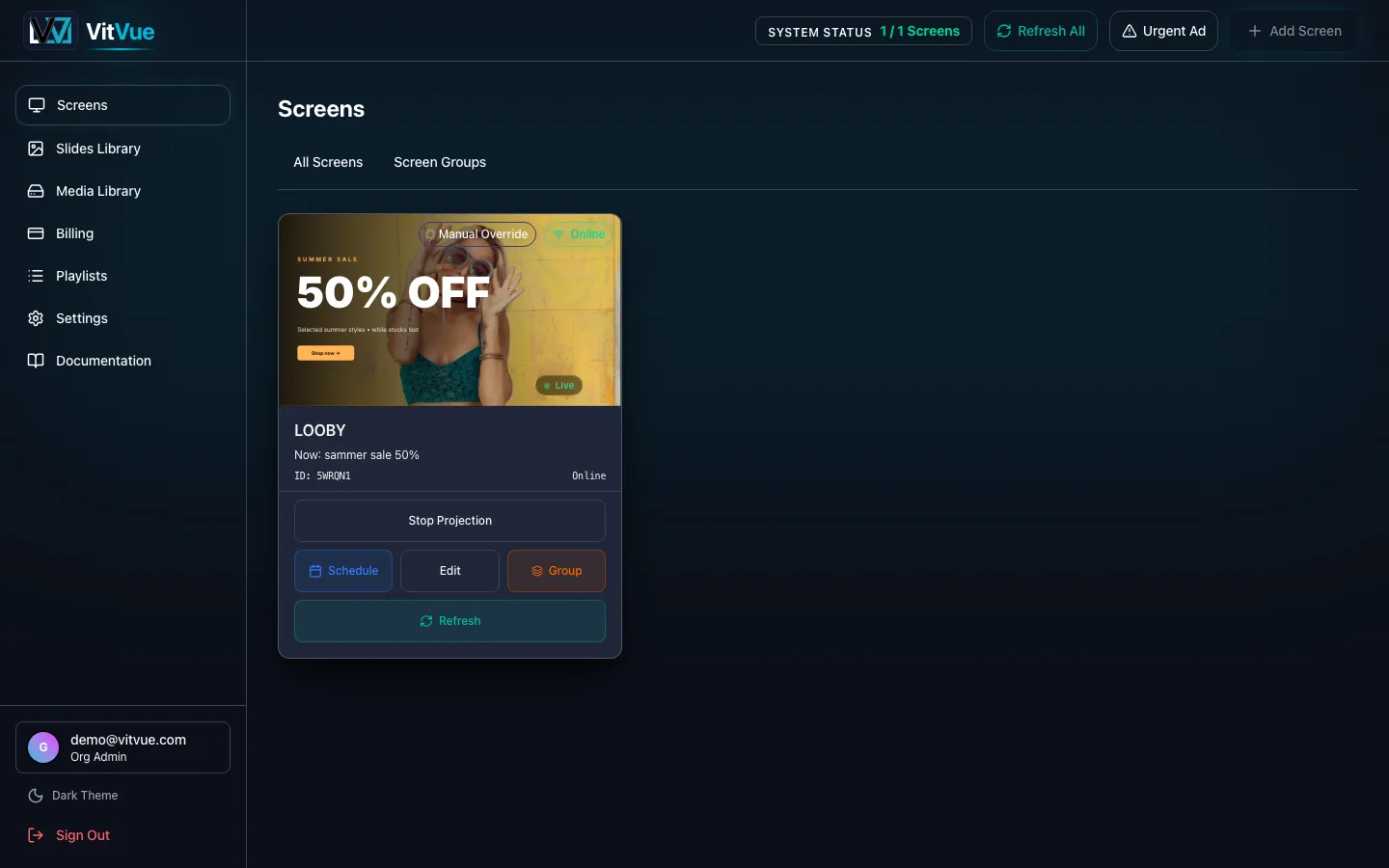
- Assign a slide — in the Slides Library, a slide card's
Assignbutton opens a picker with Individual Screens and Screen Groups tabs. The slide plays immediately and overrides any schedule. - Schedule a playlist — this is the only way to put a playlist on a screen. On the Screens page, open a screen's
Schedule, then Add Rule: pick the playlist, a time range, the days it runs, and a priority. Groups take schedule rules the same way. - Deploy an urgent message — the
Urgent Adbutton composes a message (style, text, and how long it runs) and pushes it to a screen or a group, ahead of everything else, until it expires or you stop it.
There is no “assign a playlist” button
A playlist reaches a screen through a schedule rule, never by direct assignment. If you want a playlist running all day, add a rule that covers the whole day.
Resolution order
When several of these apply at once, the screen picks the highest-priority one, top to bottom:
- 1Urgent message — this screenAn urgent message deployed to the screen itself. Plays until it expires or you stop it.
- 2Urgent message — the groupAn urgent message deployed to a group the screen belongs to.
- 3Assigned slideA single slide assigned to the screen from the Slides Library. Overrides every schedule below.
- 4Schedule rule — this screenA playlist scheduled on the screen for the current day and time. Highest priority wins an overlap.
- 5Schedule rule — the groupA playlist scheduled on the screen's group.
- 6Group slideA slide assigned to the whole group.
- 7Group playlistA playlist set on the group.
- 8Group fallback playlistThe group's default, used when nothing above applies.
- 9IdleNothing applies — the screen shows "System Ready".
How fast it goes live
When you publish, VitVue broadcasts the change to your screens in real time, so updates appear within seconds. As a safety net, players also poll for changes and keep a local copy of their content.
Offline-resilient
If a screen loses its connection, it keeps playing the last content it downloaded. When it reconnects, it catches up to the latest published version automatically. More in Troubleshooting.
Until a screen has any content, it displays System Ready — assign a slide, or schedule a playlist, to bring it to life. To confirm afterwards that it really ran, Playback insights counts plays per day and per screen.