The editor
Canvas is the editor. Older slides built in the previous block editor still play as they are, and are converted to Canvas the first time you open one — a one-way change the editor asks you to confirm.
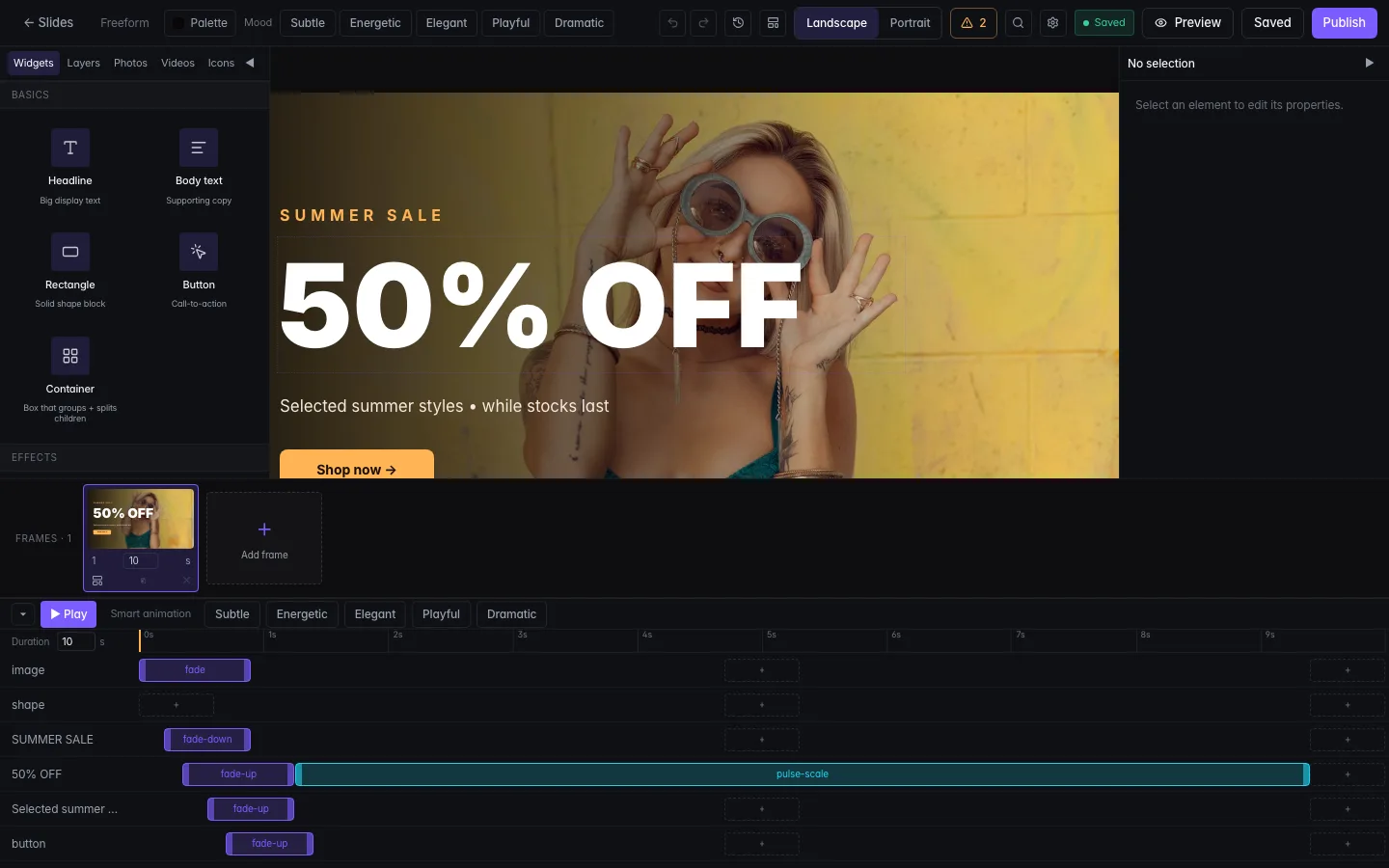
The stage and the rail
Everything you can add sits in the rail down the left. Click a button and its drawer opens beside it; click again to close.
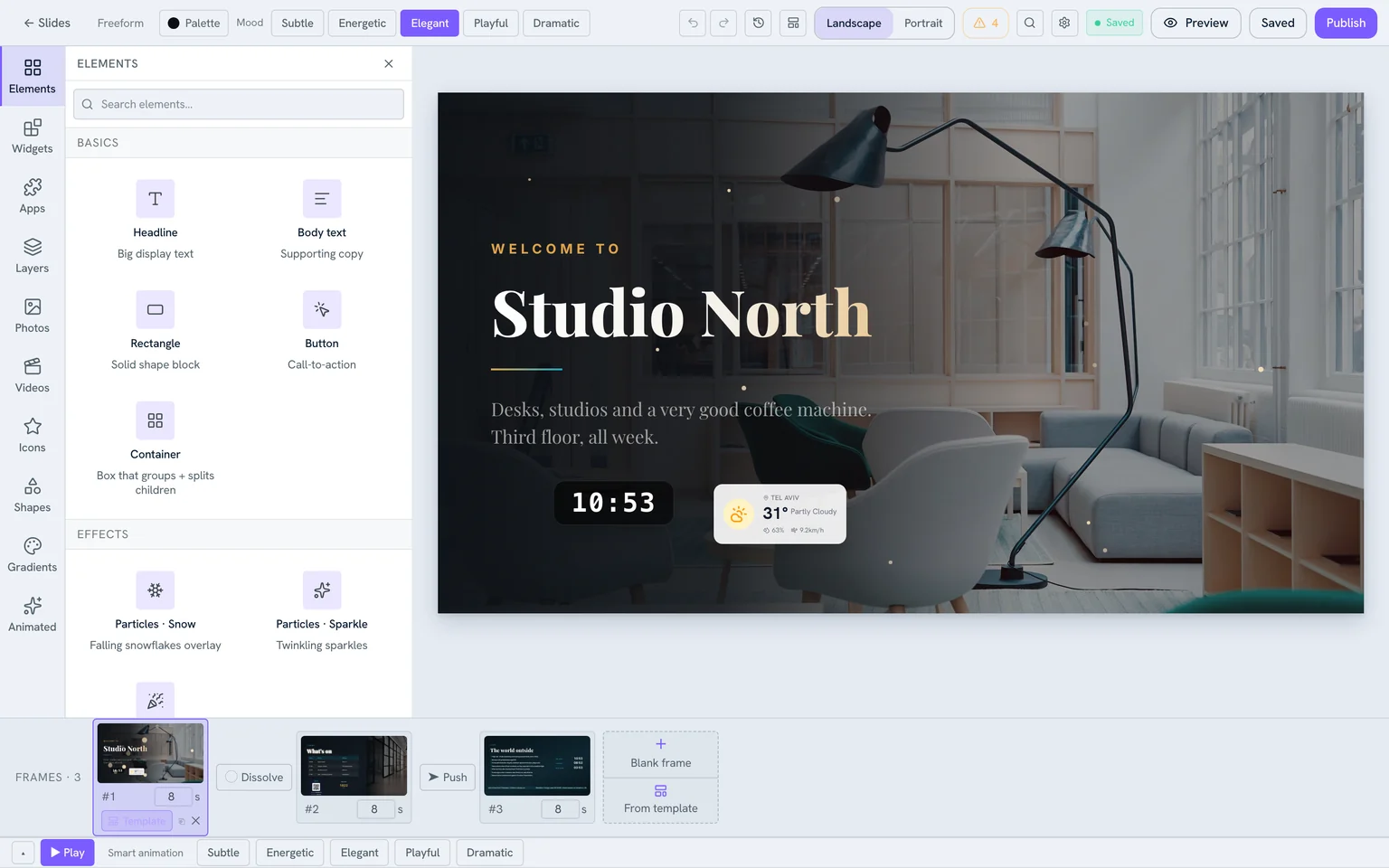
- Elements — headline and body text, rectangles, buttons, containers, and particle effects (snow, sparkle, confetti).
- Widgets and Apps — live blocks that update themselves. See Apps & widgets.
- Photos, Videos, Icons, Shapes, Gradients — your own uploads and searchable stock.
- Animated — Lottie stickers, either from the built-in set or pasted as a URL.
- Layers — the stacking order, for when elements overlap.
Selecting and styling
Click an element and a toolbar appears above it with the controls that apply to that kind of thing — font, size, colour, alignment and effects for text; fit and border for an image. The panel on the right carries exact position and size.
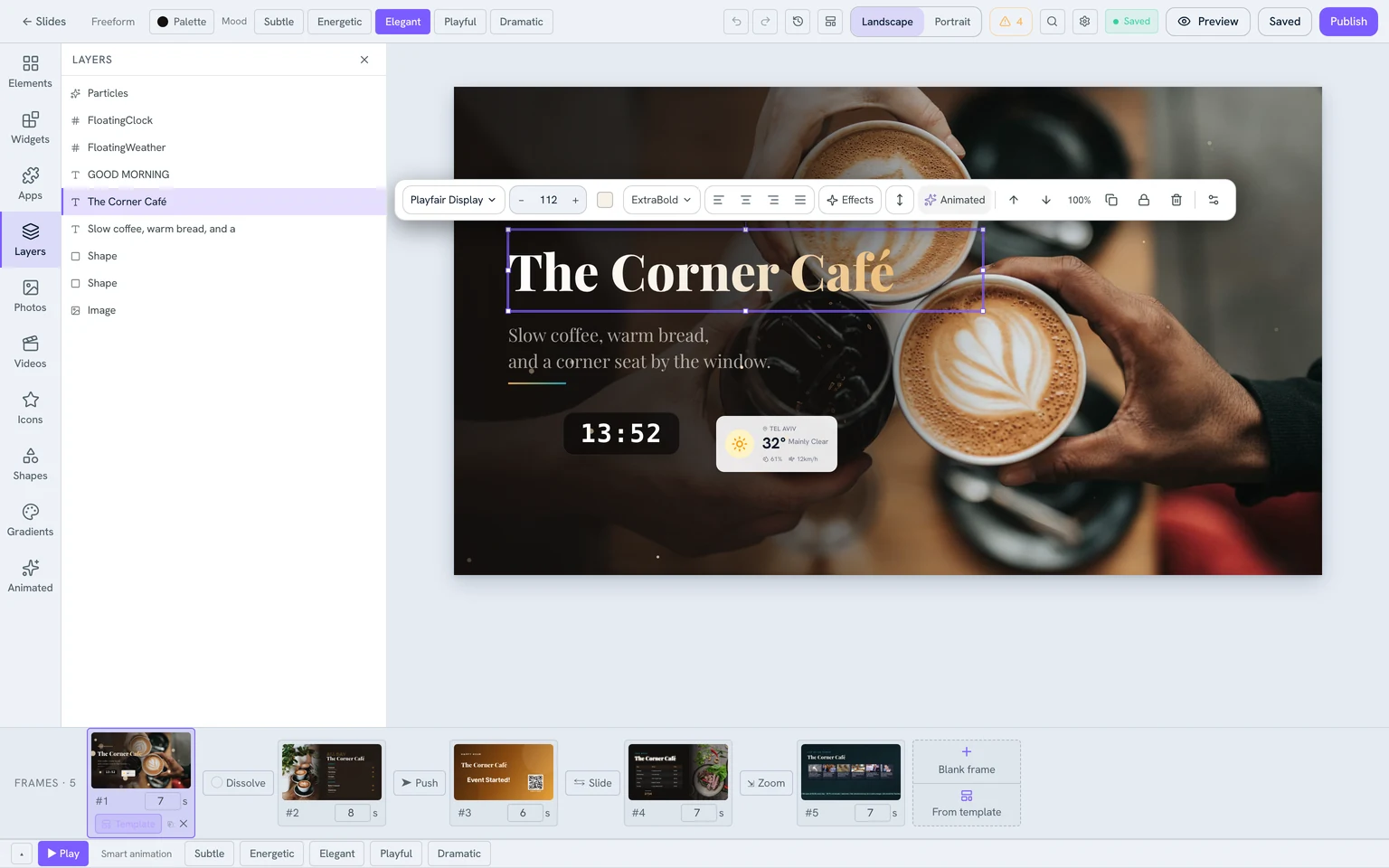
Text can carry a gradient fill, an outline, or a glow. Images take a fit mode, a filter, and rounded corners. Elements can rotate on the X and Y axes for depth.
Frames
A slide can hold several frames that play in order, so one slide tells a short story. Each frame has its own duration and its own background, and you choose how it enters: cut, dissolve, slide, push, or zoom. The strip along the bottom shows the frames with their transitions between them.
Animation
Every element has three stages — an entrance, an optional pulse while it is on screen, and an exit — laid out on the timeline. For a whole slide at once, pick a mood: Subtle, Energetic, Elegant, Playful, or Dramatic. A mood is not only motion — it also sets a palette and a font pairing.
Before you publish
- Templates — start from a designed layout instead of a blank stage, either for the slide or for a single frame.
- Palette and Brand — recolour everything at once, or pull in your brand colours.
- Resize — switch the slide between landscape and portrait.
- Quality check — flags low contrast, text too small to read across a room, and anything drifting outside the safe area.
- History — step back through earlier states, or discard everything since the last save.
- Preview — opens the slide in the player, exactly as a screen will render it.
Slides built in the old editor
Saved your design? Group slides into a playlist, or publish one straight to a screen.