Playlists & scheduling
Playlists turn a set of slides into a rotation. Schedules make that rotation change with the time of day and the day of the week.
Building a playlist
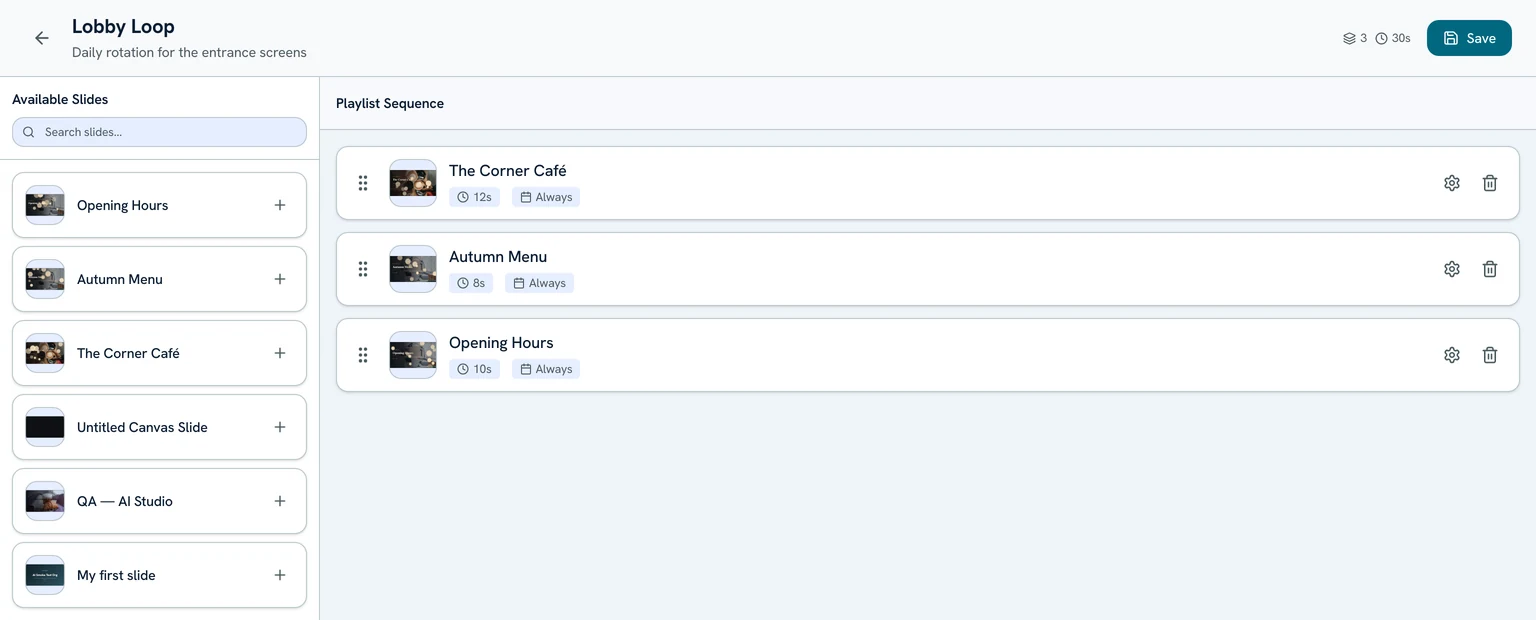
On the Playlists page, create a playlist and add slides to it. Drag to reorder — the player plays items top to bottom and loops back to the start.
Per-item duration
Every item in a playlist has its own duration in seconds (10 seconds by default). Set a longer time for menus and a shorter one for quick promos. The editor shows the playlist's total run time as you build it.
Schedule rules
Each item can have an optional schedule so it only plays inside a window you choose:
- A start and end time (e.g. 07:00–11:00).
- The weekdays it's allowed to play (any combination of Sunday through Saturday).
Items outside their window are skipped, so one playlist can serve breakfast, lunch, and dinner content automatically.
Time zones
Once your playlist is ready, assign it to a screen or group.