8 Digital Signage Content Mistakes to Avoid
Avoid costly digital signage content mistakes that leave screens ignored. Build clearer playlists, better schedules, and consistent action at locations.
On this page
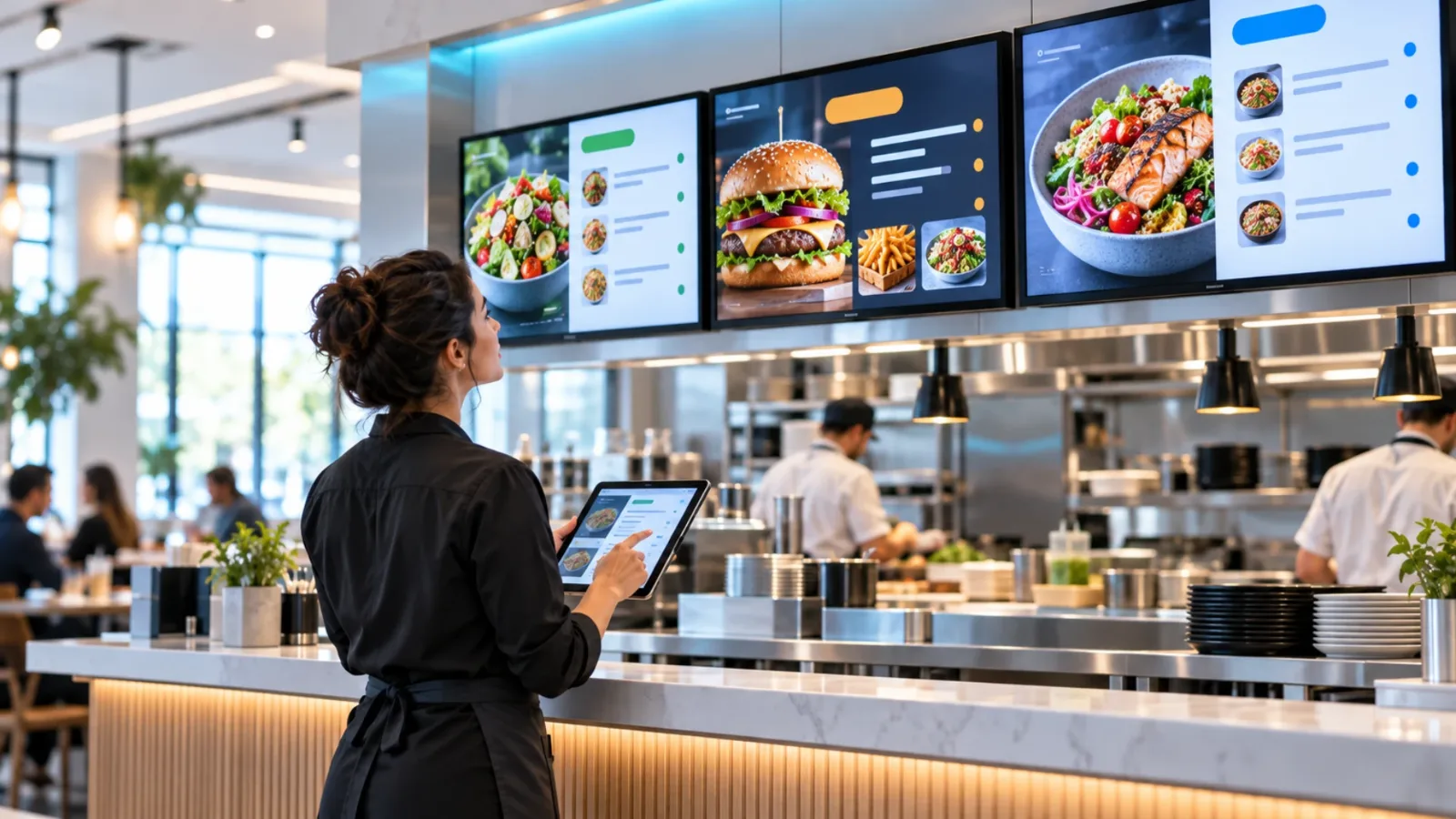
A screen can be online, bright, and perfectly placed - then still fail to do its job. Most digital signage content mistakes are not design disasters. They are operational gaps: an expired promotion stays live, a menu is too dense to read, or every location shows the same message despite different customer needs.
For teams managing restaurants, stores, gyms, clinics, offices, or multiple franchise locations, content is where signage either earns attention or becomes expensive wall decor. The fix is not more complicated software or a bigger design budget. It is a clearer system for what appears on-screen, when it appears, and how you know it is working.
The Digital Signage Content Mistakes That Cost Attention
1. Treating the screen like a printed poster
A printed poster can hold a lot of information because someone can stand in front of it and read at their own pace. A digital display cannot rely on that behavior. People glance at it while walking, waiting in line, checking in, or deciding what to buy.
When a screen contains paragraphs, tiny prices, several competing calls to action, and too many images, the viewer gets none of the message. Lead with one idea per slide: a limited-time offer, a wait-time update, a featured service, or a simple directional cue. Give that idea enough visual space to register in a few seconds.
This does not mean every slide must be minimal. A lobby directory or a detailed menu has a different job than a retail promotion. But the farther away the audience is and the faster they move, the less information each screen should ask them to process.
2. Using content that cannot be read from where people stand
Designing on a laptop creates a predictable blind spot. Text that looks generous from 18 inches away can become unreadable across a lobby or above a checkout counter. The same applies to low-contrast colors, thin fonts, busy photography behind copy, and QR codes that are placed too small or too far from the viewer.
Test content at the actual viewing distance. Stand where customers stand. Can someone identify the headline, price, or next action in three seconds? If not, increase the type size, reduce the copy, and simplify the background.
Placement also changes the right design. A screen beside a point-of-sale counter can support a shorter, more immediate offer. A display in a waiting room can use slower content with more context. One layout rarely works everywhere, even when the campaign is the same.
3. Building playlists with no clear priority
Many screens become cluttered because every department, manager, or vendor wants airtime. The result is a playlist where urgent messages appear once every 10 minutes, while lower-value content takes up most of the rotation.
Set a simple hierarchy before content goes live. Safety notices, real-time operational updates, and time-sensitive promotions should receive the most frequent placement. Brand storytelling, social proof, and evergreen messages can fill the remaining space. If a message is truly urgent, do not bury it in a long loop. Push it immediately and give it dedicated screen time.
A useful question is: what should a customer, visitor, or employee do differently after seeing this screen? If the answer is unclear, that item probably does not deserve priority in the playlist.
4. Forgetting that timing is part of the message
The right promotion at the wrong time is still wasted inventory. Breakfast offers should not run through dinner. A gym class reminder should appear before the class, not after it begins. A clinic check-in instruction matters during arrivals, not at closing time.
Scheduling content by daypart, day of week, season, and local event makes screens feel relevant without making operations harder. Start with the obvious moments: opening hours, lunch, peak traffic, after-school traffic, happy hour, and closing. Then add campaign windows with firm start and end dates.
For multi-location businesses, timing needs local control too. A national promotion may apply everywhere, while store-specific hours, weather alerts, local inventory, or event messaging should remain flexible. Centralized management should create consistency, not force every location into the same generic playlist.
5. Leaving expired promotions on-screen
Nothing weakens trust faster than a screen promoting an offer that ended last week. Customers notice. Staff have to explain it. Managers lose confidence in the entire signage program.
This mistake usually happens when content is uploaded manually and nobody owns the removal step. Build expiration into the publishing process. Every campaign should have a defined end date, an approved replacement, and a person responsible for reviewing what remains live.
Automated scheduling is the practical safeguard. With a platform such as VitVue, teams can assign content to specific dates and times, then let it come down automatically. That replaces the unreliable cycle of USB swaps, email reminders, and last-minute calls to individual locations.
6. Showing the same content on every screen
Consistency matters, especially for franchises and multi-site brands. But consistency is not duplication. A screen near the entrance has a different job than a screen at checkout, in a waiting area, or in an employee break room.
Entrance displays should orient and welcome. Checkout displays can influence the next purchase. Waiting-area screens can reduce perceived wait times with useful information, service education, or entertainment. Internal displays can communicate schedules, recognition, and operational updates without competing with customer messaging.
Use screen groups and location-based playlists to keep brand standards intact while matching content to context. This approach also prevents a common waste: sending corporate messages to customer-facing screens simply because those are the only screens being managed.
7. Designing for approval instead of action
Content can look polished in a meeting and still underperform on-site. This happens when stakeholders focus on whether the creative includes every logo, product detail, legal line, or talking point rather than whether viewers can understand it quickly.
Give every asset one primary action. Ask customers to try a featured item, scan a code, join a loyalty program, ask staff about a service, or head in a specific direction. Do not ask them to do all of those things at once.
QR codes deserve extra discipline. They work when the destination is valuable and the code is easy to scan. A code leading to a generic homepage is rarely compelling. A code that opens a location-specific offer, appointment page, event registration, or menu can be worth the screen space.
8. Publishing content without checking playback
A campaign is not live because someone clicked publish. It is live when the intended screen is online and displaying the right version at the right time. Without playback visibility, teams often learn about failures from customers or local staff after an opportunity has passed.
Monitor screen uptime and play history, especially across multiple locations. Confirm that critical content has reached the expected displays. Review offline screens quickly, and use offline playback so a temporary internet interruption does not turn the screen blank.
This is where digital signage stops being a collection of TVs and becomes a manageable communication channel. Your team should not need to call each site to ask what is on-screen.
Build a Content Routine That Scales
The strongest signage programs run on a lightweight operating rhythm. Plan campaign content ahead, schedule it by audience and location, review active playlists regularly, and keep a small set of evergreen assets ready to fill gaps. This gives local teams the speed they need without sacrificing central control.
Start by fixing one high-traffic screen or one recurring campaign. Make the message easier to read, schedule it around the moment it matters, and verify playback. Once that process works, replicate it across the rest of your screens. Better signage content is not about producing more slides. It is about making each moment on-screen useful.
Read our guide to digital menu boards for restaurants.