School Digital Signage System That Works
A school digital signage system should be easy to manage, affordable, and fast to update across campus without extra hardware or IT strain.
On this page
The bell rings, the schedule changes, and half the building still has yesterday’s information on screen. That is exactly where a school digital signage system either proves its value or becomes one more thing staff have to babysit. In K-12 schools, districts, and campus environments, screens are only useful when updates are fast, visible, and easy to control without chasing down USB sticks or asking IT to step in.
A good system fixes a simple operational problem. Schools need to communicate in real time across front offices, hallways, cafeterias, libraries, gyms, staff rooms, and waiting areas. Announcements, event reminders, lunch menus, testing schedules, attendance campaigns, safety notices, and recognition content all compete for attention. Printed posters help, but they are slow to replace and hard to keep consistent. Email works for staff, not always for students or visitors. A school digital signage system closes that gap by putting timely information where people already look.
What a school digital signage system should actually solve
Schools do not need flashy technology for its own sake. They need fewer manual tasks, faster updates, and better control over what appears on each screen. That means the real question is not whether digital signage looks modern. It is whether office staff, administrators, and communications teams can manage screens across one campus or several campuses without adding complexity.
That is where many setups go wrong. A TV on the wall is not a system. A slideshow running from a thumb drive is not a scalable process. Even a few screens can become difficult when different departments own different content, schools have separate calendars, and nobody knows whether the display in the lobby is actually online.
The right setup gives schools centralized management. One dashboard, one publishing workflow, and clear visibility into what is playing where. If the district office needs to push a weather alert to every campus, it should happen immediately. If the high school wants athletic content in the gym and scholarship reminders in the counseling office, that should be easy too.
Where schools get the most value from digital signage
The strongest use case is not one screen in one lobby. It is coordinated communication across the places students, staff, and visitors move through every day.
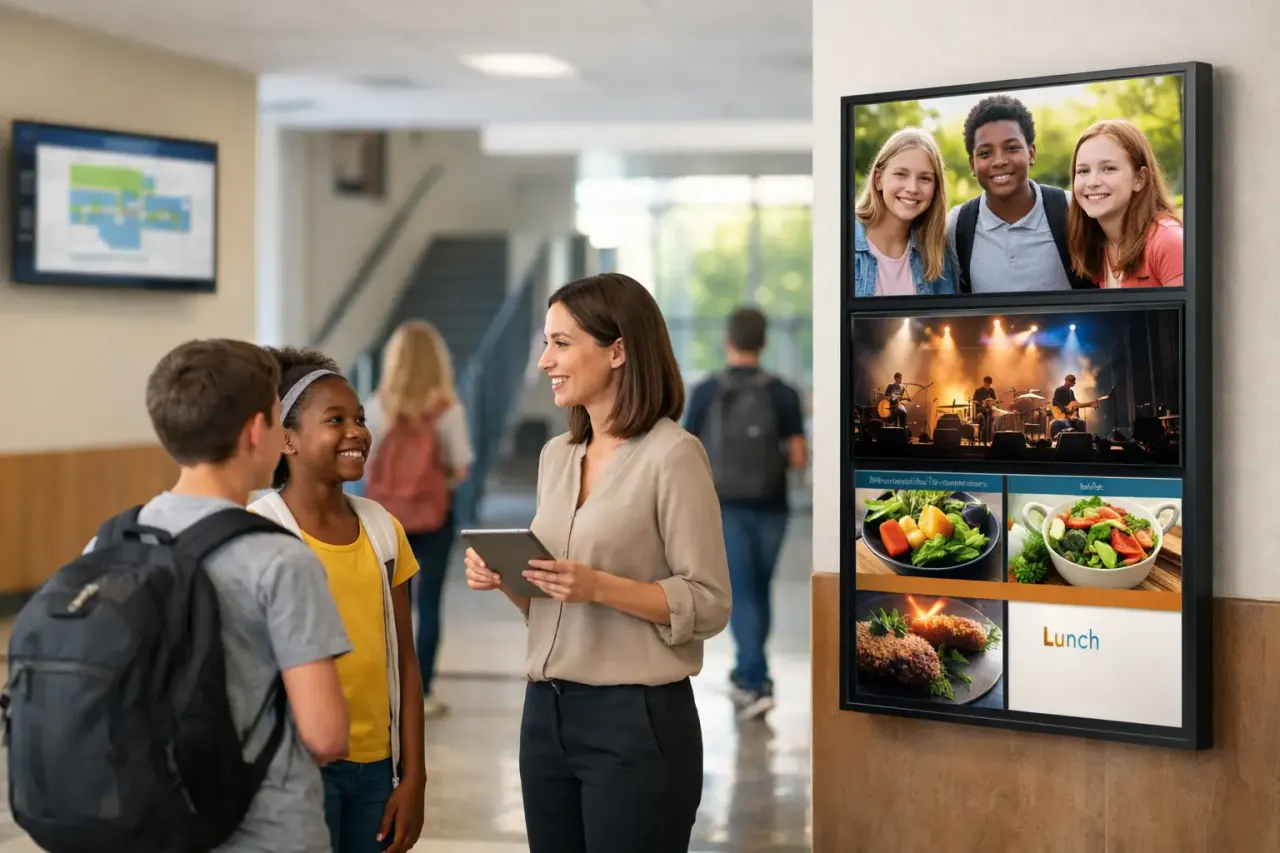
Hallway screens can show rotating announcements, club meetings, and countdowns to major events. Front office displays can welcome visitors, provide check-in guidance, and highlight district messages. Cafeteria screens can display menus, nutrition updates, and schedule changes. Library and media center screens can promote reading programs, workshops, and testing resources. Staff lounges can carry internal reminders, deadlines, and training information that students do not need to see.
This flexibility matters because schools are not one audience. They are multiple audiences sharing the same building. Students need one set of messages. Staff need another. Parents and visitors need something else. A capable school digital signage system lets teams schedule and target content by location instead of forcing the same loop onto every screen.
Why older signage workflows break down fast
Many schools start with the lowest-friction option available. A staff member plugs a laptop into a TV. Someone uploads slides to a USB drive. Another person updates a presentation when they have time. It feels inexpensive at first, but the labor cost builds quickly.
Content becomes inconsistent. One screen is updated, another is missed. Emergency messaging is slow. Screen downtime goes unnoticed. The person who knows how to change the playlist is out sick, and now the district newsletter is still showing winter announcements in April.
Traditional hardware-heavy signage can create a different problem. Dedicated media players, complex installations, and device-by-device support increase cost and setup time. For schools with tight budgets and limited technical staff, that model often creates more hesitation than momentum.
A cloud-based approach is usually the better fit. If schools can use existing smart TVs or attach low-cost streaming devices to displays they already own, rollout gets faster and more affordable. No extra hardware burden. No complicated installation path. No waiting months to modernize communication.
What to look for in a school digital signage system
The most important feature is central control. Schools need to create, schedule, and publish content from one place. That sounds basic, but it changes everything operationally. It cuts out one-off updates, reduces dependency on individual staff members, and makes district-wide communication manageable.
Ease of use matters just as much. If the platform requires design experience or technical setup every time content changes, adoption will stall. Schools need drag-and-drop editing, ready-made templates, and simple scheduling so office teams and communications staff can update screens without training bottlenecks.
Real-time publishing is also critical. Snow delays, dismissal changes, event cancellations, and safety notices cannot wait for the next manual refresh. The ability to push updates instantly across one building or multiple campuses is one of the clearest reasons to move away from static signage workflows.
Offline playback is another feature schools should not overlook. Internet interruptions happen. Screens still need to display approved content even when connectivity dips. That avoids blank displays in high-traffic areas and keeps communication reliable.
Visibility is the final piece. Administrators should be able to see whether screens are online, what content is playing, and whether updates have gone live. Without that, schools are still guessing.
Budget reality: cost matters, but so does upkeep
School buyers usually focus on the purchase line first, which makes sense. But the long-term burden often matters more than the initial setup cost. A cheaper system that requires constant manual updates can end up costing more in staff time than a subscription platform with centralized control.
This is why hardware strategy matters. If a school digital signage system depends on proprietary players for every display, costs rise quickly across multiple campuses. If the software works with existing TVs or inexpensive streaming-stick-connected screens, schools can expand gradually without a major capital project.
There is a trade-off here. Some districts want highly customized enterprise deployments with deeper integrations, role-based permissions, and district-wide governance. Others just need ten screens working reliably by next week. The best choice depends on the size of the rollout, who owns the content, and how much internal support is available.
For many schools, the smart move is to start simple with a platform that can scale later. That reduces launch friction while preserving room to grow.
Deployment should not require an IT project
This is where buyers should be skeptical. If a vendor makes school signage sound like a major infrastructure initiative, the system may be too heavy for what most campuses actually need.
A practical rollout should be straightforward. Connect the display, assign it to a location, choose or build content, and publish. That is the standard schools should expect. No dedicated onsite hardware stack. No complex device imaging. No long setup cycle just to get morning announcements on a screen.
This is one reason platforms like VitVue stand out in operational settings. They remove the old dependency on dedicated media players and make it possible to manage screens centrally using hardware schools often already have. That lowers cost, speeds up deployment, and reduces reliance on internal IT resources.
Content strategy matters more than screen count
More screens do not automatically mean better communication. Schools get stronger results when they plan what each screen is for.
A lobby display should not run the same content as a cafeteria screen. The front office needs visitor-facing messaging. Student common areas need short, readable announcements that rotate frequently. Staff-only areas can carry more detailed reminders. When schools define the purpose of each screen, content becomes more relevant and more likely to be noticed.
It also helps to set ownership early. Decide who updates district-wide messages, who controls campus-specific content, and how urgent alerts are approved. Without that structure, digital signage can become another shared tool that everybody assumes somebody else is managing.
The best system is the one staff will actually use
That sounds obvious, but it is where many buying decisions fail. A feature-packed platform is not the right fit if publishing one update takes too many steps. Schools need speed, clarity, and consistency.
The strongest school digital signage system is not just visually polished. It is easy enough for staff to manage on a busy day, flexible enough for different departments, and affordable enough to expand beyond a pilot screen. It gives schools control without creating more work.
If a platform can help a school update content in minutes, manage multiple screens from one dashboard, and avoid extra hardware headaches, it is solving the right problem. And in a school environment, that is what counts. The goal is not more technology on the wall. The goal is getting the right message in front of the right people at the right moment, without slowing the day down.
Browse ready-made digital signage apps like weather, menus, clocks and news tickers.