Digital Signage Scheduling Software That Works
Digital signage scheduling software helps teams control content, timing, and screens from one dashboard without extra hardware or IT overhead.
On this page
A lunch promo goes live at 3:00 PM, the wrong clinic notice stays up all weekend, or one franchise location keeps showing last month’s campaign. That is usually the moment businesses realize digital signage scheduling software is not a nice-to-have feature. It is the system that keeps every screen accurate, timely, and worth the investment.
If your current process still involves USB drives, manual TV updates, or hoping store staff changed the playlist on time, the problem is not your screens. The problem is the workflow behind them. Scheduling software turns digital signage from a series of one-off updates into a controlled operation you can run across one location or one hundred.
What digital signage scheduling software actually does
At a basic level, digital signage scheduling software decides what content appears, where it appears, and when it appears. But the real value is not just putting a start and end time on a slide. It is giving operators one place to manage campaigns, dayparts, recurring content, location-specific messaging, and screen behavior without touching each TV individually.
That matters when your content changes often. Restaurants need breakfast menus to disappear on time. Retail chains need weekend promotions to launch across every store at once. Gyms need class schedules to rotate throughout the day. Clinics need waiting room messaging that stays current and compliant. In each case, timing is part of the message.
Good scheduling software also reduces dependence on local staff. The screen in your lobby should not rely on whoever happens to be opening the building. If content updates are centralized, scheduled in advance, and pushed remotely, screens stay consistent even when operations get busy.
Why basic playback tools are not enough
A lot of businesses start with the simplest possible setup. A slideshow on a USB stick, a built-in TV media player, or a lightweight app that loops content. That can work for one screen with static content. It breaks down fast when timing matters.
The issue is control. Manual playback methods do not make it easy to schedule by day, hour, location, or audience. They also do not give you much visibility into whether screens are online or actually showing the content you planned. When a campaign is tied to a promotion, event, policy change, or limited-time offer, that lack of visibility has a real cost.
There is also a scale problem. Updating three screens manually is annoying. Updating thirty is expensive. Updating screens across multiple cities with different local offers becomes operational drag. Digital signage scheduling software removes that drag by shifting content management into a single dashboard with repeatable rules.
The features that matter most
Not all scheduling tools solve the same problem. Some are built for simple playlists. Others are designed for distributed businesses that need tighter control. If you are evaluating options, focus less on feature quantity and more on whether the software fits how your locations actually run.
Calendar-based scheduling
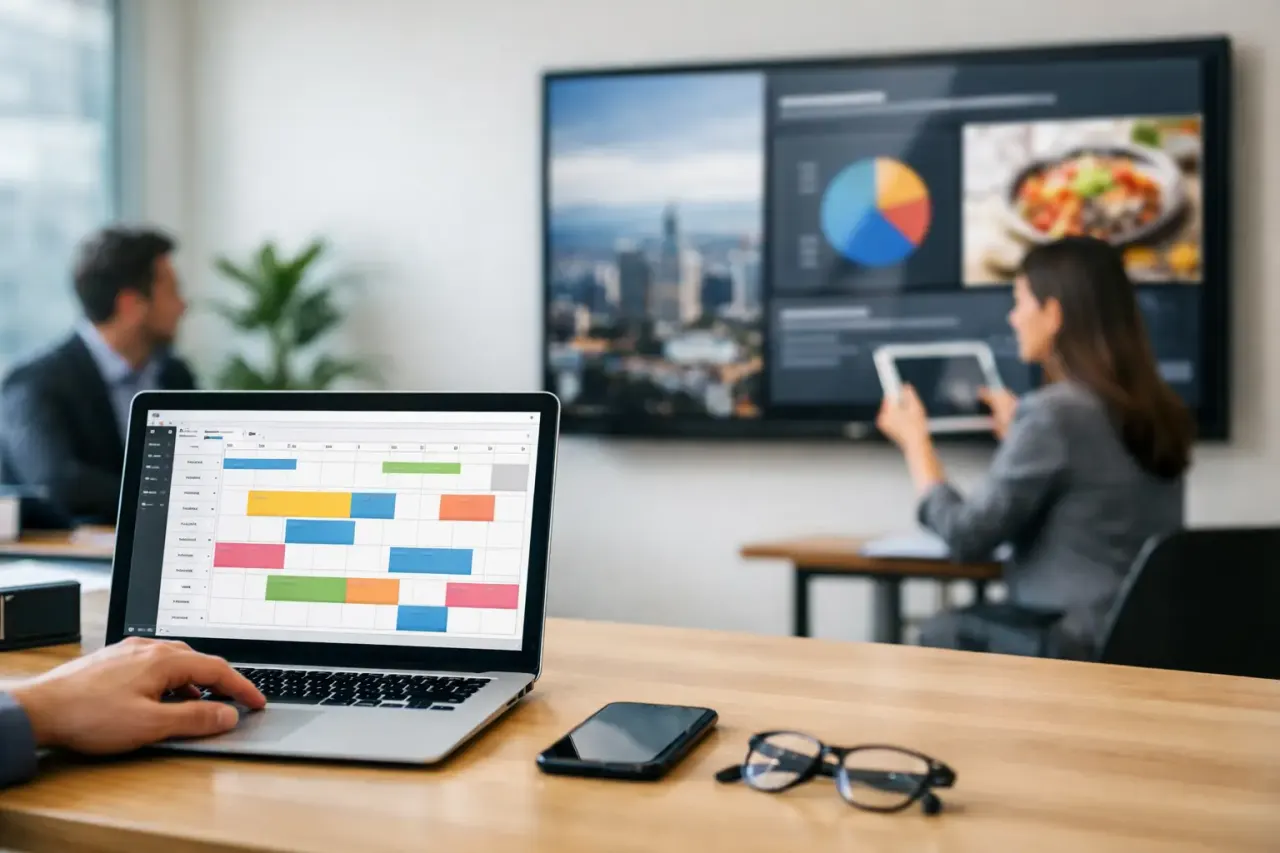
This should be the baseline. You need to assign content by date and time without guessing how playlists will behave. A calendar view makes it easier to spot conflicts, plan campaigns ahead, and keep seasonal content from overstaying its welcome.
Dayparting and recurring schedules
For many businesses, content changes by time of day more than by season. Breakfast, lunch, and dinner menus. Morning and evening class promos. Weekday versus weekend offers. Recurring schedules save time and reduce errors because you set the rule once instead of rebuilding the same playlist every week.
Screen groups and location targeting
A single schedule for every screen sounds efficient until different locations need different content. The best systems let you group screens by region, store type, department, or use case. That gives you central control without forcing every screen into the same template.
Emergency or instant override
Sometimes the schedule should lose. Weather alerts, outage notices, event changes, or urgent announcements need immediate priority. A useful scheduling platform makes it easy to interrupt regular playback and push a message now, not after someone at the location notices a problem.
Proof of playback and screen status
Scheduling content is only half the job. You also need to know whether it actually played. Uptime tracking, play history, and device status turn digital signage into a managed channel rather than a blind broadcast. This is especially important for multi-location brands where no one can physically check every display.
What the right setup looks like in practice
The most effective digital signage scheduling software does not add another layer of work. It removes steps. You create content once, assign it to the right screens, set the schedule, and let the platform handle playback. If a campaign changes, you update it centrally. If one location needs a local version, you duplicate and adjust instead of starting over.
For small and mid-sized businesses, ease of deployment matters just as much as scheduling depth. A powerful platform is less useful if it requires dedicated media players, long installation projects, or heavy IT support. That is where newer signage platforms have an edge. They run on Smart TVs or low-cost streaming devices and still provide centralized scheduling, remote updates, and operational visibility.
That trade-off matters. Some legacy systems offer deep enterprise controls but come with higher hardware costs and more setup friction. Simpler platforms are easier to launch but may lack targeting, analytics, or reliable remote management. The right choice depends on how many screens you manage, how often content changes, and how costly mistakes are when the wrong message stays live.
How to choose digital signage scheduling software
Start with your update frequency. If your screens change weekly or monthly, your needs are different from a business rotating menus, promotions, and announcements throughout the day. The more often content changes, the more valuable automation becomes.
Next, look at who owns the process. If updates come from marketing, operations, franchise support, and local managers, the software needs permission controls and a workflow that does not create bottlenecks. If one person manages everything, speed and simplicity may matter more than layered approvals.
Then consider deployment. If your team wants to use existing TVs and avoid extra hardware, make sure the software supports that model cleanly. Hardware-heavy systems can still fit some enterprise environments, but many growing businesses do not want added devices behind every screen, more points of failure, and more equipment to support.
It is also worth checking offline playback. Internet interruptions happen. The screen should keep showing scheduled content instead of going blank because the connection dropped for twenty minutes.
Finally, look beyond content creation. Scheduling is where signage becomes operational. If the platform has a beautiful editor but weak control over timing, targeting, and monitoring, you will feel that gap quickly.
Common mistakes that create scheduling headaches
One common mistake is treating all screens the same. A menu board, a lobby display, and a back-of-house communication screen should not share one generic playlist. Content strategy starts with screen purpose, and scheduling should reflect that.
Another is overloading local teams with updates. It may seem flexible to let each location manage its own screens, but it often leads to inconsistency, outdated campaigns, and brand drift. Central scheduling with local exceptions usually works better.
Businesses also underestimate the value of visibility. Without screen monitoring and playback confirmation, every schedule is based on trust. That is risky when screens support revenue, customer communication, or compliance messaging.
And then there is the hardware issue. If every screen needs a dedicated media player, installation gets slower, troubleshooting gets harder, and total cost climbs. For many businesses, the smarter move is software that delivers scheduling control without forcing a more complex hardware stack.
Where scheduling software pays off fastest
You usually see the return in three places: labor, consistency, and speed. Labor goes down because staff no longer update screens manually. Consistency improves because every location follows the same campaign timing. Speed improves because content can be planned once and deployed everywhere in minutes.
That is why scheduling software matters so much for restaurants, retailers, gyms, hotels, schools, clinics, and office networks. These teams are not looking for another system to manage. They want fewer manual tasks, faster changes, and confidence that the right message is on screen at the right time.
A platform like VitVue fits that model well because it combines scheduling, remote deployment, and screen visibility without requiring traditional media players or an IT-heavy rollout. That is the practical shift many operators need - less equipment, less friction, more control.
Digital signage works best when it stops feeling like a chore. The right scheduling software gives you that shift. Your screens become reliable, current, and easy to manage, which is exactly what they should have been from the start.